
Auto-quit is optional. Try it free for 7 days, then unlock it with a one-time purchase. Manual Dock controls remain free. No subscription or automatic charge.
How it works
- Open DockQuit’s settings, start the trial or restore your purchase, and enable Auto-quit.
- Add the apps you want to include. Auto-quit is off by default; each app can be paused individually.
- Close the app’s windows, then switch to another app.
- After your chosen wait and a window check, DockQuit requests a normal quit. The app handles any save prompts.
Auto-quit is not an idle timer. If an app has no windows when you add it, DockQuit checks again before starting the wait. See setup and cancellation details.
Choose the wait
Choose one shared delay for your selected apps: immediately, 15, 30, or 60 seconds. “Immediately” still requires switching away and completing the window check. Clicking the red close button alone does not immediately quit the app.
When DockQuit keeps an app running
- Hidden or minimized windows still count as open.
- Opening a window or switching back to the app cancels the pending quit. Switching away again starts a new wait if the conditions still match.
- If DockQuit cannot confirm the window state, it keeps the app running.
- Save prompts stay with the app. DockQuit never chooses “Don’t Save” or escalates to force quit.
An app can still be working without an open window. Choose carefully for music, downloads, builds, and other background tasks.
Free vs. Auto-quit
| Feature | Access |
|---|---|
| Hover × and middle-click to quit an app | Free permanently |
| Restore and close a separate minimized window | Free permanently |
| Automatically quit selected apps when the conditions match | 7-day trial, then a one-time purchase |
See the free Dock controls · App icons vs. window thumbnails
Trial, purchase and restore
The trial starts only when you click “Try Free for 7 Days” in the app’s purchase window. No payment details are required. Turning Auto-quit off does not pause the trial. When it ends, only Auto-quit stops; manual controls and other settings stay free.
Regional base prices: CNY 29 in mainland China, HKD 32 in Hong Kong, EUR 3.99 in the euro area, GBP 2.99 in the UK, JPY 680 in Japan, and USD 3.99 everywhere else. The app reads the price from the region you connect from; a proxy may change that. Applicable tax and the final total are shown before you pay.
Start a purchase in Settings & help → Purchase & restore, then complete payment through Waffo. Payment confirmation unlocks Auto-quit. Save your recovery code and use the same in-app window to restore a purchase. Permanent access covers the feature you bought; it does not promise updates forever or compatibility with every future macOS version.
Download DockQuit free · Purchase recovery help
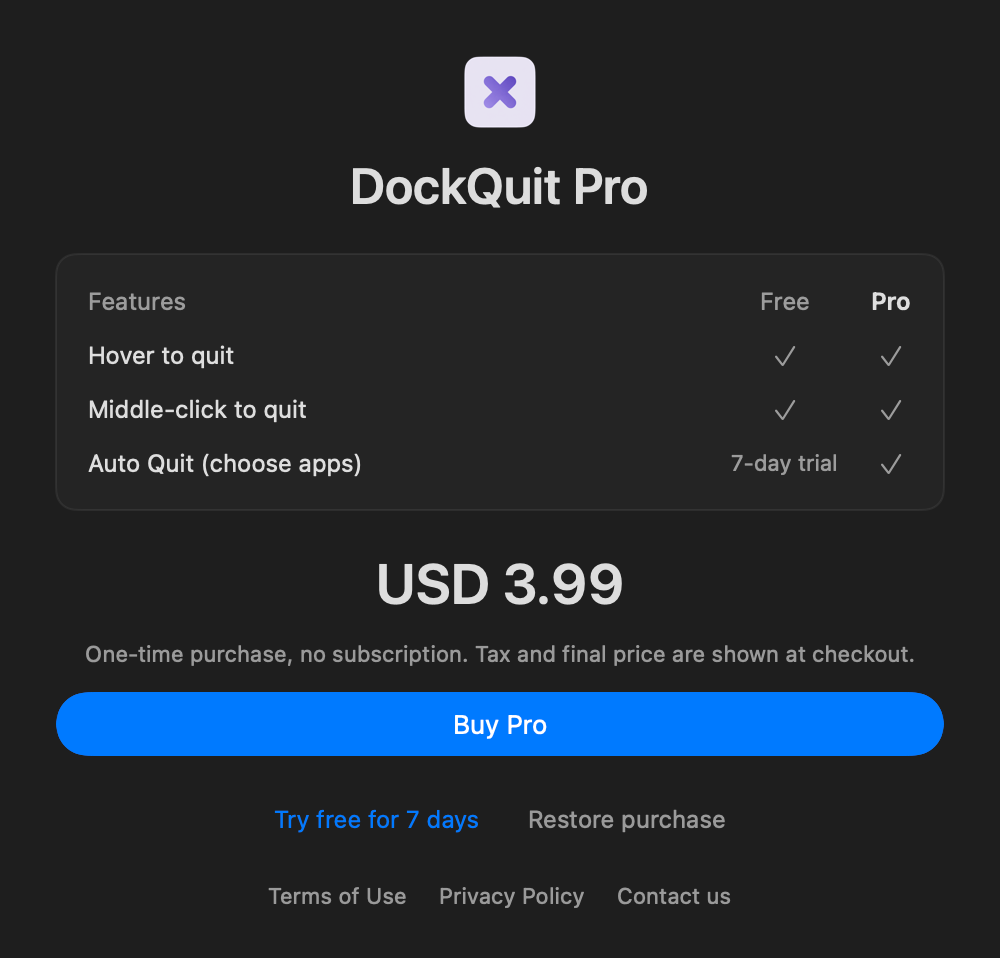
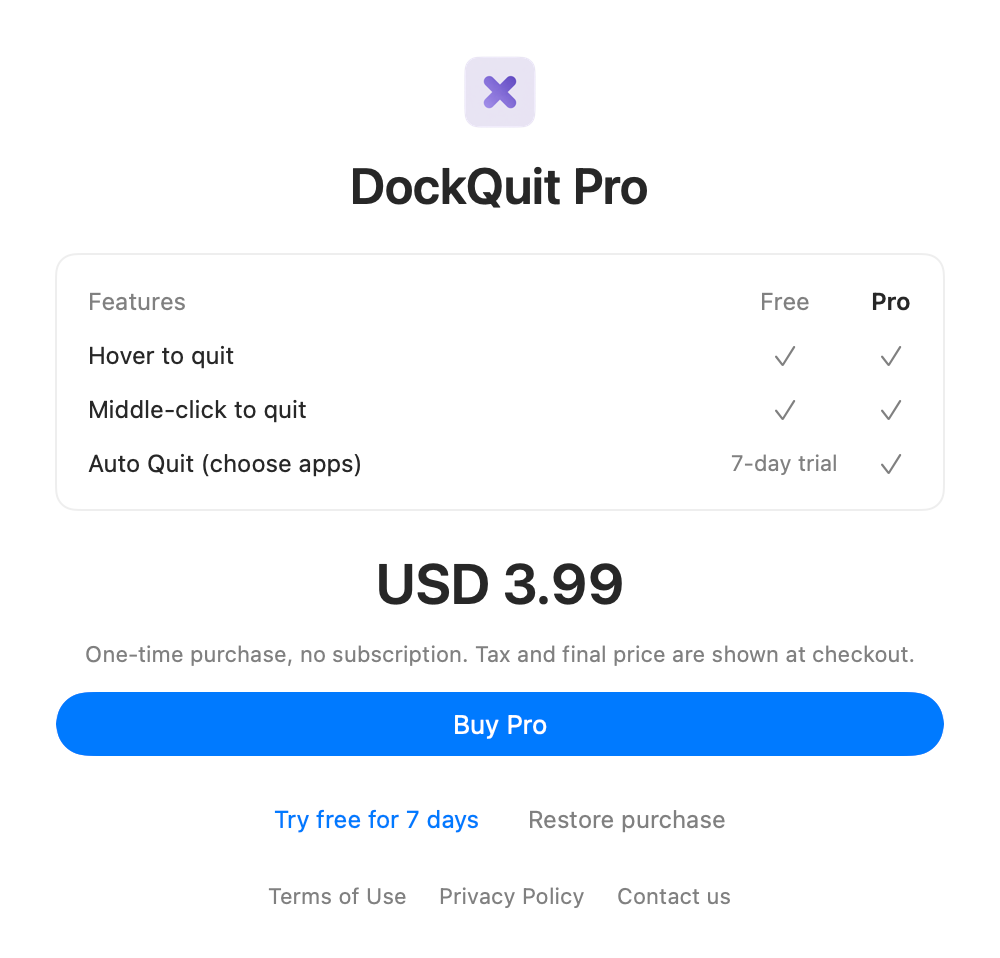
The screenshot shows an example USD price. Your currency, tax, and final total are shown before you pay.
Support and refunds
For payment help or a refund, email support@dockquit.heino.top with your order number. After a full refund, Auto Quit locks again; free features keep working.
Purchase and refund terms · Privacy Policy
Common questions
Does closing the last window immediately quit the app?
No. The app must be selected for Auto-quit, have no windows, and no longer be the active app. Even the immediate option waits for those conditions and a window check.
Will I be charged when the trial ends?
No. The trial requires no payment details and does not start a subscription. Only Auto-quit stops; the free manual controls keep working.
What if the app does not quit or a purchase does not restore?
Check the app’s save prompts, then see
troubleshooting or purchase recovery. For payment support, include your order number, never your recovery code.